Ad Banner Image Resizer for Google Ad Manager
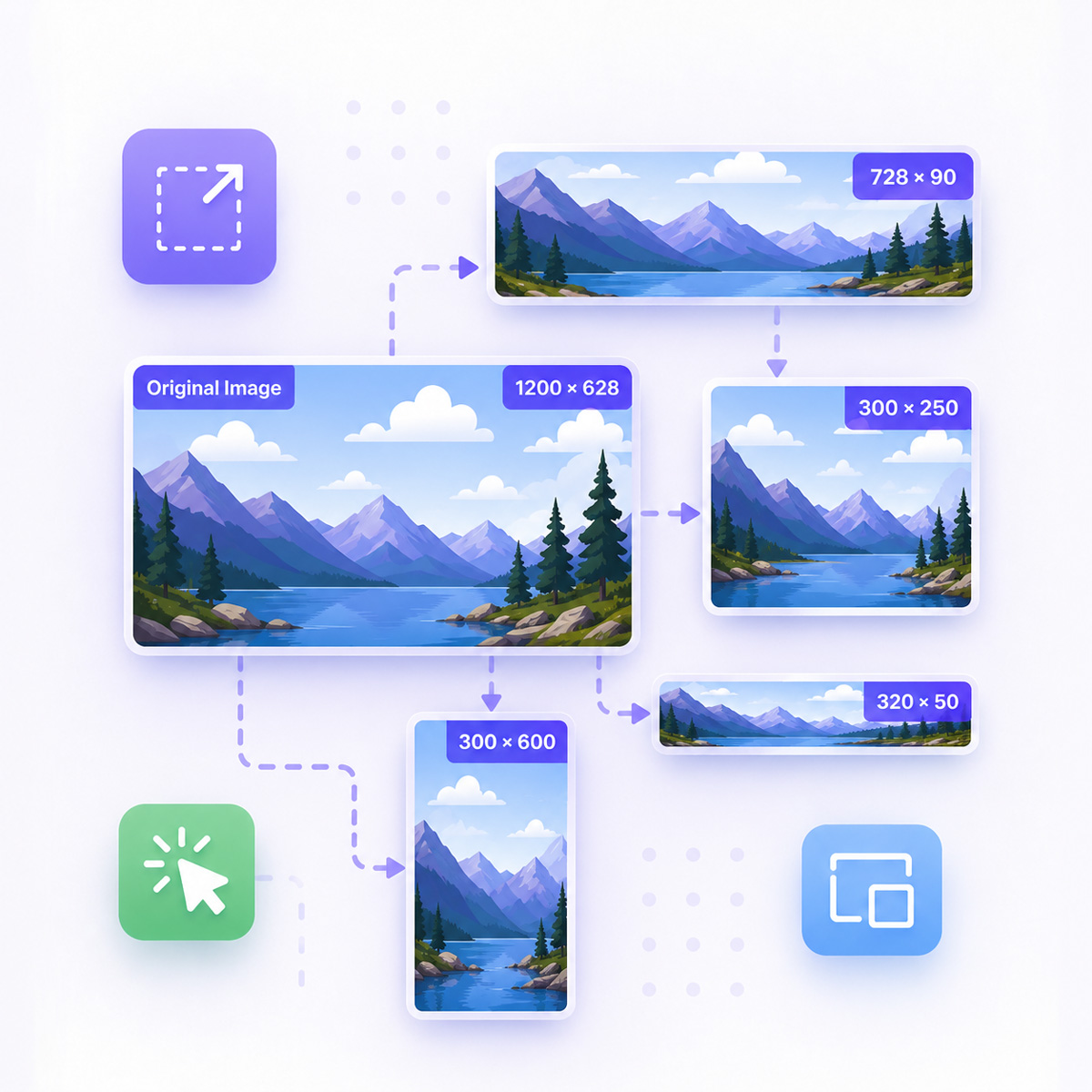
Resize designer JPG, PNG, or GIF banners to your Google Ad Manager (GAM) ad unit dimensions. Center-crop when the ratio differs, convert format to reduce weight, and download a ready-to-upload asset - without enlarging the source image.
- Free online tool
- Common IAB ad sizes
- JPG, PNG, and GIF support
Resize Your Banner Image
Preview
Resize Banner Images for Google Ad Manager
This tool helps Google Ad Manager publishers and ad operations teams prepare static image creatives when designer assets do not match the required ad unit size.
Upload a JPG, PNG, or GIF, set your target dimensions, and download an optimized file ready for GAM line items and creative uploads.
Why Resize Images Before GAM Upload?
Ad servers and trafficking workflows expect creatives that match declared ad unit sizes. Oversized or wrong-ratio assets cause rejections, cropping in preview, or heavier files than necessary.
With this resizer, you can:
- Fit designer banners to standard IAB sizes (300×250, 728×90, and more)
- Reduce file weight by converting to JPG with adjustable quality
- Keep animated GIFs intact while resizing all frames
Need expandable, sticky, interstitial, or rich media creatives instead of static banners? Browse Google Ad Manager templates.
How to Resize a Banner Image
- Upload your JPG, PNG, or GIF banner
- Review source dimensions and file weight
- Set target width and height (or pick a common ad size preset)
- Choose output format and JPG quality if needed
- Convert and download the optimized image
Google Ad Manager Compatibility
Output images are prepared for typical GAM static creative workflows:
- Exact pixel dimensions for standard display ad units
- Center-crop when aspect ratio differs from the source
- No upscaling - output never exceeds source resolution
- Supports common IAB banner sizes used in GAM
Key Features for Ad Ops Teams
- Drag-and-drop upload with instant file inspection
- JPG, PNG, and GIF input (including animated GIF)
- Format conversion to optimize file size
- Adjustable JPG compression quality
- Ratio helpers to lock width or height to the original aspect
- One-click download of the converted asset
- No coding required
FAQ
What image formats does this resizer support?
You can upload JPG, PNG, and GIF files, including animated GIFs. Output can be JPG, PNG, or GIF; animated GIFs must remain GIF.
Will the tool enlarge my banner image?
No. If the source is smaller than the requested ad unit size, the output keeps the correct ratio but stays at or below the original pixel dimensions.
What happens when the aspect ratio does not match?
The image is center-cropped to the target ratio before resizing, so important content near the edges may be trimmed. Use the ratio sync buttons to preview dimensions that match the original aspect.

Gamlytics — client reporting for Google Ad Manager
Create live advertiser reports from GAM line items, share them without GAM access, and automate campaign close-out.
Start Free with 2 Custom Templates
Sign up to Genecy and instantly access Iframer and Clipbanner for free. Upgrade anytime to unlock 24 premium templates.